
Connecting to IRC with senpai
senpai is an IRC client for the terminal (TUI).
❤️ senpai works great with IRC Today.
| Feature | Support |
|---|---|
| Synchronized networks | Yes |
| Message history | Yes |
| Typing notifications | Yes |
| Synchronized read marker | Yes |
| Message search | Yes |
Setup
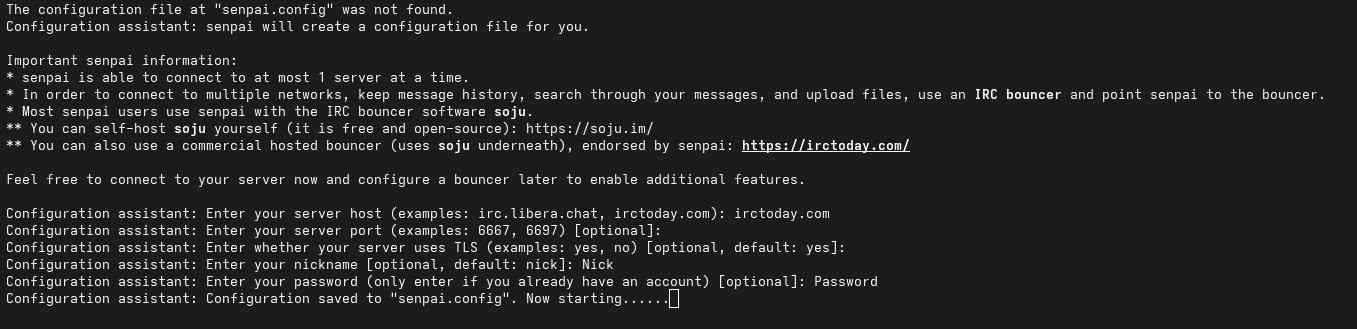
On first run, senpai will help you set up its configuration:
- When prompted Enter your server host: enter
irctoday.com - When prompted Enter your server port: press Enter (default)
- When prompted about TLS: press Enter (default)
- When prompted Enter your nickname: enter the Nick given on your IRC Today network page
- When prompted Enter your password: enter the Password given on your IRC Today network page
senpai works optimally out of the box with IRC Today. No additional configuration tweaks are required.