
Connecting to IRC with goguma
goguma is a mobile (Android/iOS) IRC client.
❤️ goguma works great with IRC Today.
| Feature | Support |
|---|---|
| Synchronized networks | Yes |
| Message history | Yes |
| Typing notifications | Yes |
| Synchronized read marker | Yes |
| Message search | No |
Setup
Android
Google Play Store
The Goguma app on the Google Play Store can easily connect to IRC Today out of the box.
After installing the app:
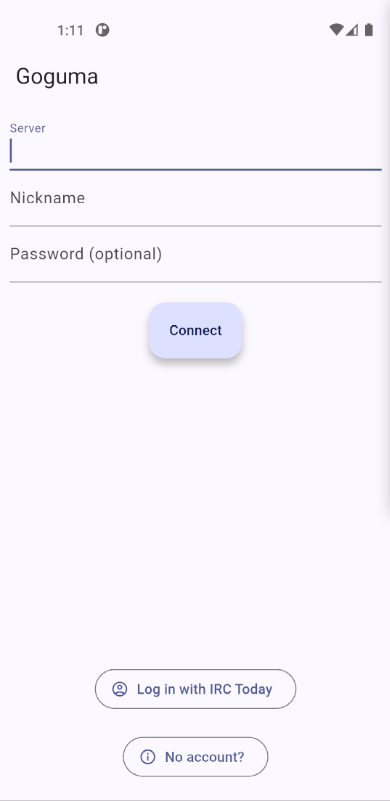
- Click on Log in with IRC Today
- Log in to your IRC Today account in the embedded Web browser
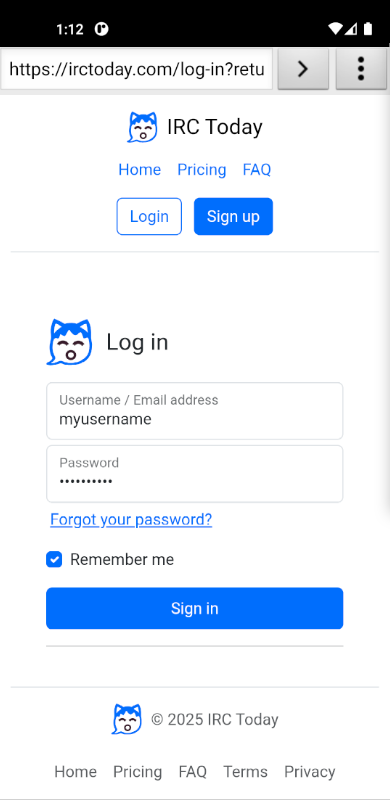
- Your account details will automatically be filled in
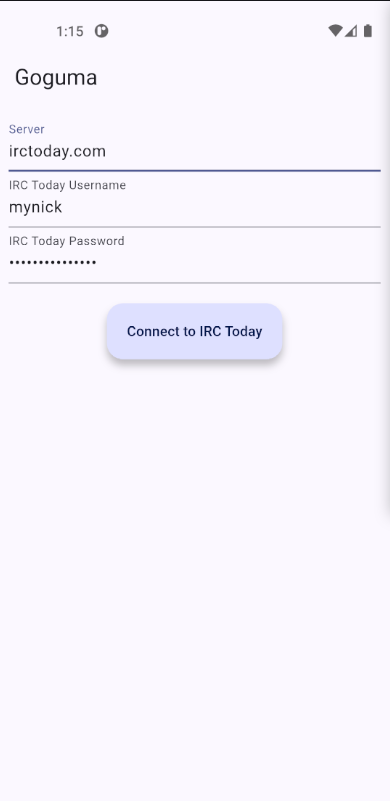
- Click on Connect to IRC Today
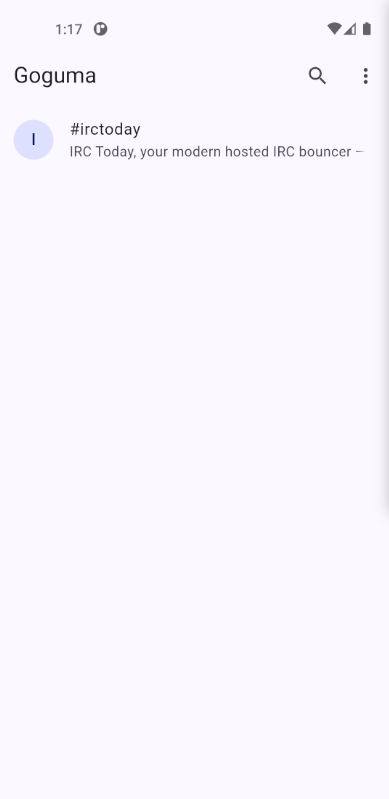
(The Play Store app is just like the base Goguma app, but adds this specific IRC Today integration for easier setup.)
F-Droid
Alternatively, goguma can be installed from its nightly repository or the official F-Droid repository (often out of date).
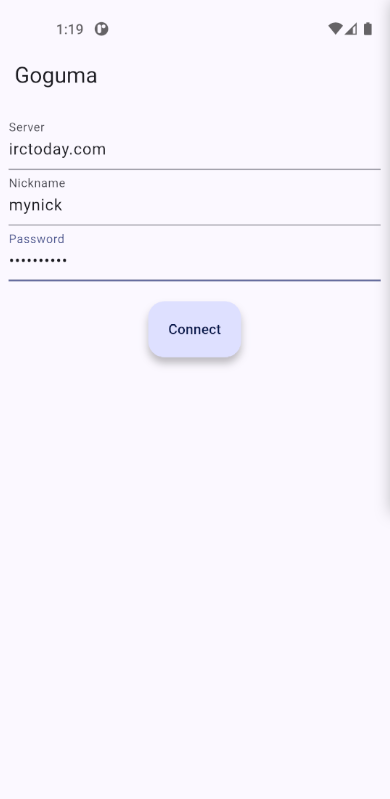
After installing the app:
- Set the Server to
irctoday.com - Set the Nickname to the Nick given on your IRC Today network page
- Set the Password to the Password given on your IRC Today network page
- Click on Connect
Optionally, to enable modern IRC features:
- Open the app Settings
- Check Send & display typing indicators
- Check Display link previews
iOS
goguma can be installed from the Apple App Store.
After installing the app:
- Set the Server to
irctoday.com - Set the Nickname to the Nick given on your IRC Today network page
- Set the Password to the Password given on your IRC Today network page
- Click on Connect
Optionally, to enable modern IRC features:
- Open the app Settings
- Check Send & display typing indicators
- Check Display link previews